The Data Plumbing Problem: Why Traditional Infrastructure Falls Short#
If you're building AI applications today, you've probably experienced this pain: spending 80% of your time on data infrastructure and only 20% on the AI that actually matters. You're not alone.
Traditional data engineering worked great for the SQL era. Build tables, run ETL jobs, create dashboards. Simple, predictable, effective. But AI workloads are fundamentally different:
- Multimodal by nature: video, images, audio, documents, not just rows and columns
- Model outputs as data: embeddings, transcriptions, predictions that become inputs to other models
- Constantly evolving: new data requires recomputing downstream dependencies
- Expensive to reprocess: full pipeline reruns cost time and money
The result? Teams spend their days juggling orchestration tools, vector databases, feature stores, model serving platforms, and custom glue code. It's data plumbing hell. The choice between AI functions vs pipelines becomes irrelevant when you're drowning in infrastructure complexity.
The Evolution: From Metrics Tables to Multimodal Tables#
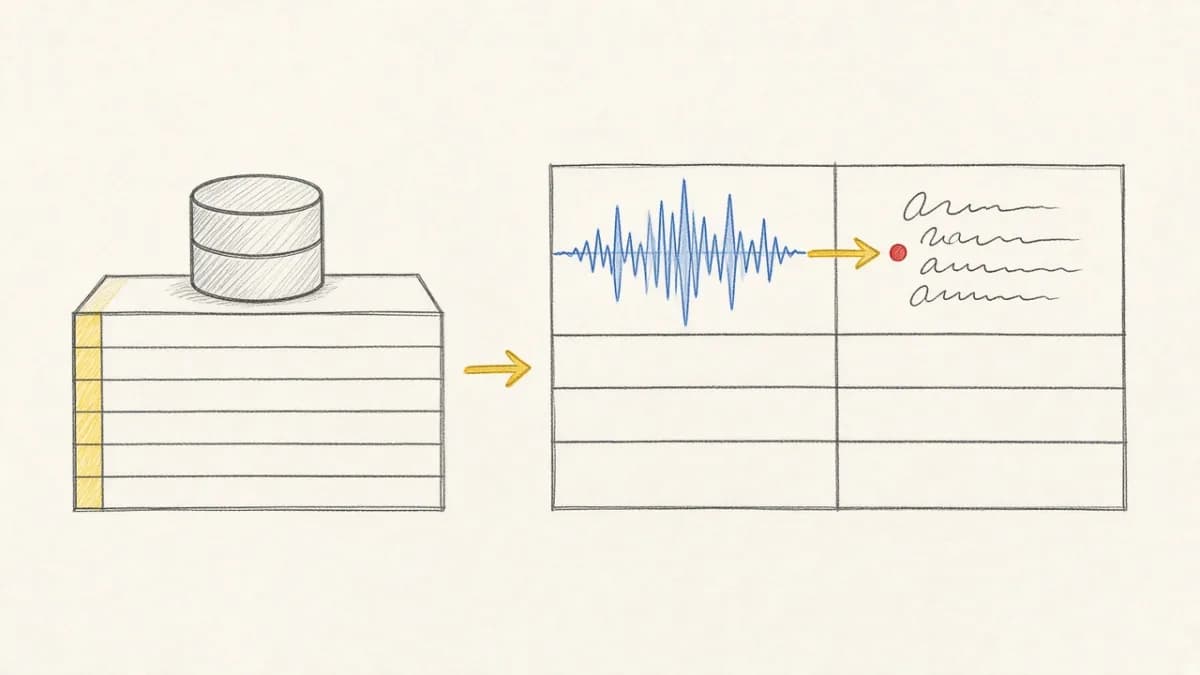
For years, data engineering meant shipping reliable facts, dimensions, and metrics for analytics. That foundation still matters. But AI teams now work with assets, not just rows: video, audio, images, PDFs, logs, code. They also generate derived artifacts like transcriptions, detections, and embeddings that feed downstream systems. The natural evolution is a new kind of table: multimodal tables that unify raw assets, structured metadata, and model outputs as first-class columns with built-in lineage and incremental recomputation.
The Rise of Multimodal Data Engineering#
This specialization sits at the intersection of data engineering, ML infrastructure, and product. The mission: provide seamless access to multimodal assets and their derived data for research and production, without bespoke pipelines. With Pixeltable, this role becomes declarative instead of imperative.
Key responsibilities (with Pixeltable)#
- Centralized multimodal access: Define tables and views that directly reference objects in storage alongside structured metadata; keep everything queryable in one place.
- Asset standardization: Use strong types (
Video,Image,Audio,Document) and validated schemas to ensure consistent representations across teams. - Metadata, lineage, and quality: Track provenance automatically via computed columns and table versions; measure coverage and gaps with simple queries.
- ML‑ready corpora: Expose large, evolving datasets via declarative views, iterators, and incremental embedding indexes for exploration, benchmarking, and production RAG/search.
- Collaboration: Partner with domain experts, modelers, and platform teams; keep the interface stable while the underlying models evolve.
Architecture and Key Components#
- Multimodal Table: A typed table that stores references to assets plus model outputs (detections, transcriptions, embeddings) as computed columns. See what a multimodal data table is and core concepts.
- Data Model: Standardize attributes (e.g., frames, scenes, pages, chunks) using iterators like
frame_iteratorordocument_splitterfor consistent joins. See building multimodal apps. - Data API: A Pythonic table/view API (with UDFs) that supports interactive exploration and automated workflows.
- Discovery UI: Pair tables with semantic search powered by embedding indexes; see our multimodal search engine.
- Online/Offline: Views for retrieval-time access; batch execution for large-scale training, evaluation, and re‑indexing.
- Compute: Efficient CPU/GPU execution with caching and automatic incremental recomputation.
Start small, prove value, then scale#
Successful teams begin with a narrowly scoped slice: a pilot corpus and a few high‑value computed columns (e.g., transcription + embeddings). Use views and indexes to unlock search and analytics; expand to new modalities and models once the loop (ingest → compute → search → iterate) feels trivial.
What AI Teams Actually Need#
Modern AI development isn't about moving data from A to B. It's about transforming unstructured multimodal data into intelligent applications. Here's what that looks like in practice:
Video Processing Reality Check#
You want to build a video search system. Traditional approach:
- Set up video storage (S3, GCS)
- Configure frame extraction (FFmpeg, custom scripts)
- Deploy transcription service (Whisper API)
- Set up embedding pipeline (sentence transformers)
- Configure vector database (Pinecone, Weaviate)
- Build orchestration (Airflow, Prefect)
- Handle failures, retries, and monitoring
- Keep everything in sync when data changes
That's 8+ components before you write a single line of AI logic. And every time you add new videos, you need to make sure everything stays synchronized.
The Pixeltable Approach: Declarative AI Infrastructure#
What if you could just declare what you want and let the infrastructure handle the rest? This is the power of declarative vs imperative AI pipelines.
This isn't just cleaner code. It's a fundamentally different approach using declarative multimodal infrastructure. You declare the end state you want, and Pixeltable figures out how to get there efficiently.
Incremental Computation: The Game Changer#
Here's where it gets interesting. When you add new videos to the table above, Pixeltable doesn't reprocess everything. It only computes what's actually changed:
This is huge for teams processing large datasets. Instead of expensive full pipeline reruns, you get automatic incremental updates that can reduce compute costs by 70%+.
Real-World Example: Document RAG Pipeline#
Let's look at a more complex example that would typically require multiple tools and complex orchestration. Building production RAG systems is notoriously challenging with traditional infrastructure:
Notice what's missing: no orchestration configuration, no vector database setup, no manual synchronization logic. Just declare what you want and let Pixeltable handle the complexity. This approach to multimodal RAG in production eliminates most infrastructure headaches.
Beyond Simplicity: Production-Ready Features#
Declarative doesn't mean limited. Pixeltable includes production-ready features that would take months to build yourself:
- Automatic lineage tracking: see exactly how any result was computed
- Version management: track schema and data changes over time
- Custom Python UDFs: integrate any model or transformation
- Built-in caching: expensive computations cached automatically
- Error handling: failed computations don't break your pipeline
- Horizontal scaling: process large datasets efficiently
Custom Models Made Easy#
Need to integrate your own models? Python UDFs in Pixeltable make it seamless:
The Result: Focus on AI, Not Infrastructure#
Teams using declarative data infrastructure report transformative changes:
"We went from spending 80% of our time on data plumbing to 80% on model development. Our video analysis pipeline that took 3 months to build and maintain now takes 3 days."
- 90% less infrastructure code: focus on AI logic, not orchestration
- 70% lower compute costs: incremental processing eliminates waste
- 5x faster iteration: changes don't require pipeline rewrites
- Zero sync issues: everything stays consistent automatically
Multimodal-First Design#
Unlike traditional data infrastructure built for structured data, Pixeltable is designed for AI workloads from the ground up:
- Native media types: Video, Image, Audio, Document as first-class citizens
- AI function library: OpenAI, Hugging Face, Anthropic, and more built-in
- Automatic type handling: no more custom serialization logic
- Cross-modal operations: extract audio from video, analyze video frames, images from PDFs, etc.
Stop Building Infrastructure, Start Building AI#
The AI revolution isn't waiting for us to solve our infrastructure problems. While teams struggle with data plumbing, their competitors are shipping intelligent AI agents and applications.
Declarative data infrastructure isn't just about writing less code. It's about focusing your engineering effort where it matters: the AI that differentiates your product. Whether you're building video search systems or stateful AI agents, infrastructure shouldn't be your bottleneck.
Try It Yourself#
Ready to escape data plumbing hell? Pixeltable is open-source and ready to use today.
🚀 New to Pixeltable? Start with our step-by-step tutorial: Build a Smart Image Organizer in 10 Minutes for a hands-on introduction.
Or try it risk-free in our browser playground, no installation required.
Join the thousands of developers who've already made the switch to declarative AI infrastructure. Your future self will thank you.
Want to dive deeper? Start with Pixeltable core concepts, then explore our guide to building multimodal applications, or learn about incremental computation in practice. For specific use cases, check out AI workflow automation or multimodal data annotations.