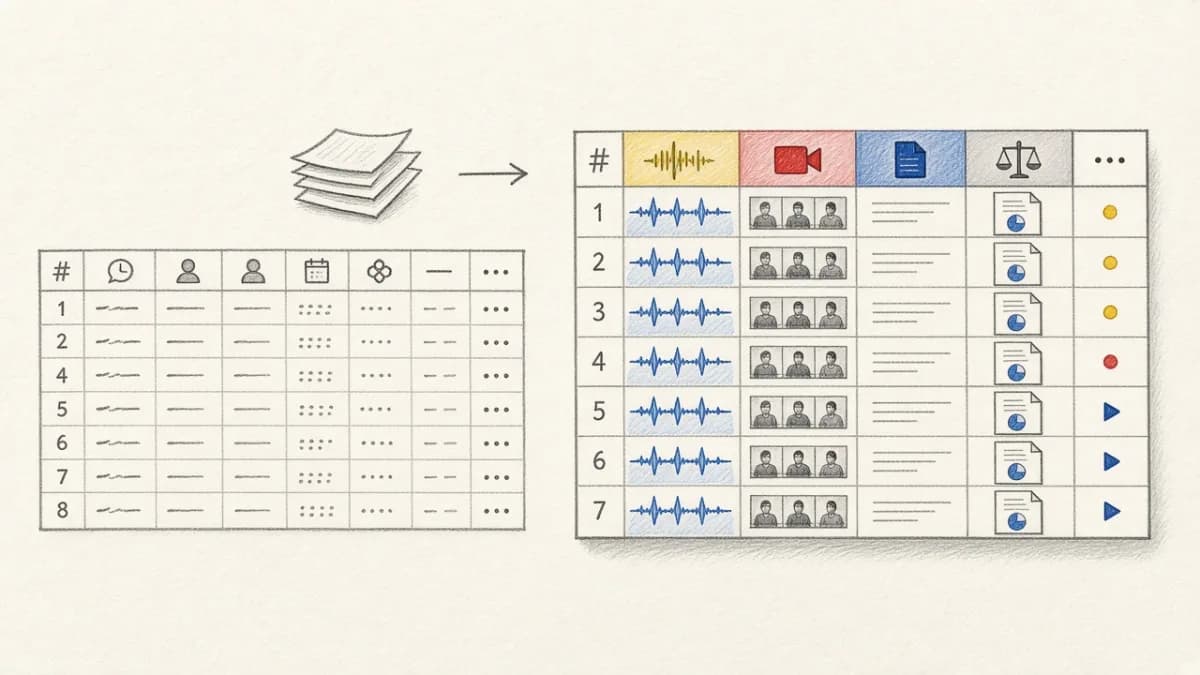
You're architecting a new AI data pipeline or starting a machine learning project. Your first instinct is probably to stitch together a series of Python scripts. It's the default for a reason: it's familiar, flexible, and gets the job done for initial experiments. Five years ago, this was the only practical way.
However, as the world of AI development matures, the limitations of this approach are becoming painfully obvious. What starts as a simple script quickly balloons into a complex web of glue code, manual data handling, and fragile dependencies. This is where declarative data frameworks like Pixeltable are gaining adoption, especially for building robust, production-grade AI systems.
The truth is, both approaches have found their sweet spots. DIY scripts are great for one-off analyses, while declarative systems are the go-to choice for scalable, maintainable AI workflows. But knowing when to pick which one? That's where things get interesting.
The DIY Approach: Python Scripts as the Swiss Army Knife#
The script-based approach became the standard for data work because of Python's mature ecosystem and developer-friendly nature. It gives you complete control and unmatched flexibility.
Ultimate Flexibility and Familiarity#
The primary draw of the DIY approach is its boundless flexibility. You can use any library you want (OpenCV, Pillow, Transformers, scikit-learn) without constraints. If you can express it in Python, you can build it. This is invaluable when you're working with novel algorithms or highly specialized data formats. The interactive nature of tools like Jupyter notebooks allows you to load data, perform transformations, visualize results, and build models without switching contexts, making it perfect for exploration.
A Workflow Built for Prototyping#
This exploratory workflow is essential when you're dealing with new datasets or developing models where you need to experiment. However, this flexibility comes at a cost. The path from a notebook prototype to a production-ready pipeline is fraught with challenges:
- Data Lineage: How was this data point produced? Which version of the code and which model were used? Answering these questions is nearly impossible without meticulous manual tracking.
- Reproducibility: Running the same script twice doesn't guarantee the same result, especially with changing data or library versions.
- Caching and Efficiency: If one step in your 10-step pipeline changes, do you re-run everything? Most developers end up writing complex and brittle caching logic just to stay productive.
A typical DIY pipeline for video analysis might look something like this:
This imperative style, where you explicitly define every step, works for simple tasks but quickly becomes unwieldy.
The DIY approach works best for:
- Initial data exploration and one-off analyses.
- Small-scale projects with simple, linear workflows.
- Prototyping new algorithms where flexibility is paramount.
Pixeltable: Built for Scalable and Manageable AI Workflows#
Pixeltable takes a different approach, focusing on robust data management and automation from the start. It's a declarative framework designed for the complexities of modern AI data infrastructure.
Declarative and Automated#
Instead of writing step-by-step instructions, you declare the desired state of your data. Pixeltable's engine then figures out the most efficient way to achieve it. This fundamentally changes how you work:
- Incremental Computation: Pixeltable automatically tracks data dependencies. When data or code changes, it only recomputes the affected downstream outputs. No more writing manual caching logic or re-running entire pipelines.
- Automatic Data Lineage: Every piece of data in Pixeltable has a transparent history. You can instantly see how it was created, which functions were applied, and trace it back to its source. Reproducibility is no longer a challenge; it's a built-in feature.
- Operational Simplicity: Pixeltable handles the tedious boilerplate of data loading, parallel execution, and dependency management. You can focus on your core logic: the models and transformations that deliver value.
Here's how the same video analysis pipeline looks in Pixeltable:
The intent is clear, the code is minimal, and the underlying system provides the robustness you need for production.
Pixeltable excels at:
- Complex, multi-stage AI data pipelines (e.g., RAG, video/image analysis).
- Projects requiring high degrees of reproducibility and data lineage.
- Workflows with evolving data, models, or business logic.
- Collaborative projects where visibility and consistency are key.
DIY vs. Pixeltable: Which Fits the Modern AI Stack Better?#
Modern AI development is a distributed system of specialized components for ingestion, preprocessing, training, evaluation, and serving. Trying to manage this with scripts is like trying to build a skyscraper with hand tools.
| Component | DIY Python Scripts Strengths | Pixeltable Strengths |
|---|---|---|
| Data Ingestion | Flexible, can connect to any source | Managed, scalable ingestion from common sources |
| Preprocessing | Total control over libraries | Declarative, automatic caching, parallel execution |
| Data Lineage | Manual tracking, hard to enforce | Built-in, automatic, queryable |
| Reproducibility | Difficult, requires careful environment management | High, guaranteed by data and code versioning |
| Iteration Speed | Fast for the first run, slow for re-runs | Slower initial setup, extremely fast iteration |
| Scaling | Manual, requires adding tools like Dask or Spark | Built-in, designed for scaling compute |
The distinction between Data Scientist and ML Engineer roles highlights this difference. Data scientists benefit from the exploratory freedom of scripts. ML Engineers, tasked with productionizing workflows, need the reliability, automation, and observability of a system like Pixeltable.
Making the Right Decision#
Choosing between these approaches should be based on your specific requirements and team context.
When are DIY Scripts a better choice?#
The DIY approach is still the right choice for true one-off analyses that will never be run again, or for very simple, linear workflows where the overhead of a framework isn't justified.
When is Pixeltable a better choice?#
If your workflow will be run more than once, if your data or code is expected to change, or if reproducibility and lineage are important, Pixeltable is the superior choice. It is built for virtually all production-bound AI/ML workflows.
Hybrid Approaches: The Best of Both Worlds#
Adopting Pixeltable doesn't mean abandoning your favorite tools. The goal is to combine the flexibility of Python with the power of a declarative data engine.
A common pattern is to use a Jupyter notebook for exploration, but with Pixeltable as the data backend. You can query data from Pixeltable tables into a Pandas DataFrame, explore it, and then encapsulate your successful logic into a User-Defined Function (UDF). By wrapping your custom models and transformations as UDFs, you bring them into Pixeltable's managed, scalable, and observable environment.
Wrapping Up#
DIY scripts and Pixeltable solve different problems. Scripts are for ad-hoc tasks; Pixeltable is for building robust, scalable AI data systems. Most projects start with scripts, but as they mature, the technical debt of managing them grows.
The wrong choice is sticking with brittle scripts when your project demands reliability and scale. The right choice is to use the right tool for the job. As you move from experimentation to production, a declarative framework like Pixeltable becomes essential for building serious, maintainable AI applications.