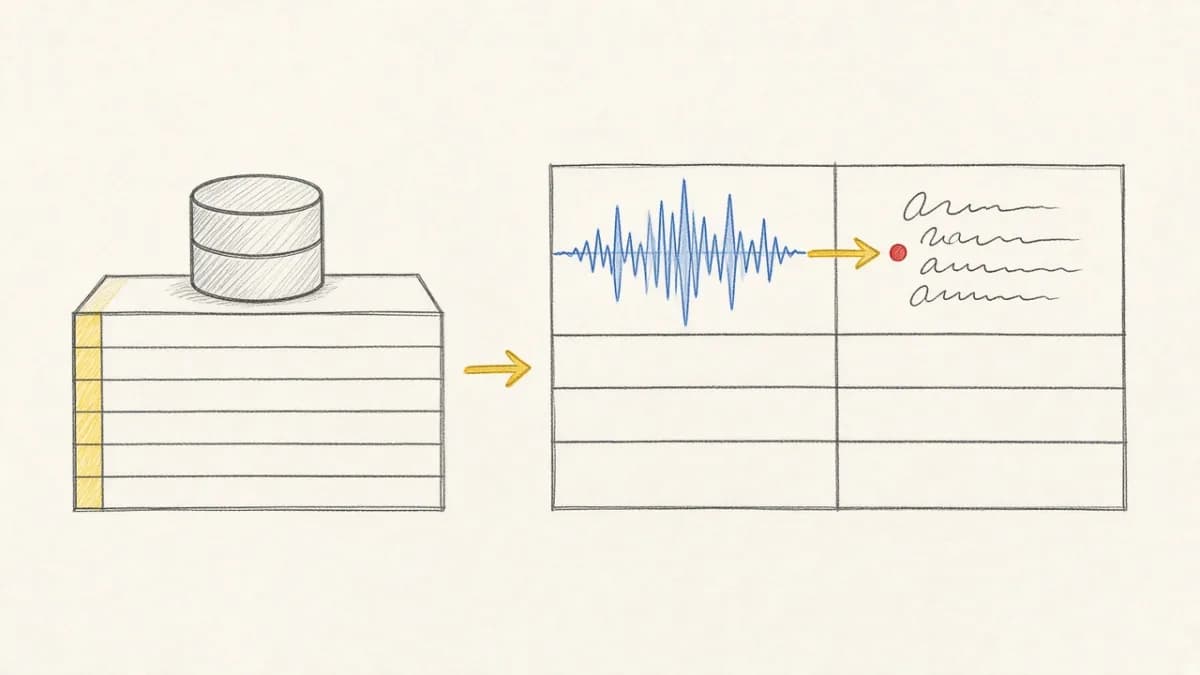
TL;DR: Pixeltable Cloud Data Sharing lets you publish and replicate multimodal AI datasets. It is the first piece of Pixeltable Cloud, our platform for multimodal AI development. When you publish a Pixeltable dataset, you share raw media data (including images, videos, audio files, documents, JSON), computed results, and embedding indexes together. When teammates replicate it, they get a fully functional copy of your table that they can query and use in their workflows right away.
At Pixeltable, we are building data infrastructure for AI development. Our founding engineering team helped shape Google's F1 database, created Apache Impala, co-created Apache Parquet, and led data platform organizations at Airbnb, Twitter, and Amazon. We built Pixeltable, an open-source Python library that unifies storage, orchestration, and retrieval for multimodal AI development. Pixeltable works locally on your machine, and Pixeltable Cloud extends it with sharing and collaboration features.
We believe that storage and orchestration aren't separate problems, although they've always been treated as separate: code lives in GitHub, media sits in object storage, generated results get stashed in a database, embeddings are sent to a vector database, and data is constantly shuttled from various file formats into and out of memory across machines. This fragmented approach contrasts with unified multimodal AI infrastructure that treats data and computation as inseparable.
Keeping storage and orchestration as separate systems breaks the natural development cycle for AI work:
- When you store media data, you need to retrieve it to run transformations.
- When you run transformations, you create results that need to be stored.
- When you create an embedding index, you need to keep it synchronized as data changes, but most systems have no way to track which embeddings are stale.
By splitting these operations across different systems, you lose track of which code produced which results, teammates can't reproduce your work, updates require more glue code, and embedding indexes get contaminated. Learn more about how Pixeltable's storage architecture solves these problems.
Data sharing is our first launch that aims to take away this pain, making it seamless for Python users to publish, share, and integrate multimodal data into their AI workflows.
What is Data Sharing?#
Much of the inspiration for Data Sharing comes from problems we hear teams struggle with everyday. You build a dataset with video transcripts, computed embeddings, and vector indexes. When you go to share the dataset, you share a bunch of files. When you share code, you share repos. You rarely share both together. When a teammate needs it, they get a zip file and GitHub repo, then spend hours recreating your environment and figuring out which processed files correspond to which inputs. This hidden data management crisis affects AI teams everywhere.
With Pixeltable, your data and logic stay together, because Pixeltable provides a fully functional OLTP database alongside a complete orchestration system. When you publish a Pixeltable dataset, you are sharing:
- Raw data (including all media files)
- Computed results (including all generated media files)
- Embedding indexes
- Schema and metadata
…as one complete unit. When teammates replicate it, they get everything in a familiar interface for Python users: a table.

Teammates can replicate a table from Pixeltable Cloud locally and query right away (see replicate() SDK reference):
After replicating, you can immediately query and explore the data locally:

To work with a replica in new ways, recipients can also create an independent table with the replica as the source:
This copies the values in the source, but drops the computational definitions and cannot be updated if the source table changes.
Data creators can build a table locally then publish to the Cloud (requires API key setup - see Getting Started). See the publish() SDK reference for full documentation:
And push updates (note: only the owner can add new rows and push updates):
How Replica Tables Work#
Shared tables work through a replica system. Tables are shared as complete copies that include both the table structure (schema) and all supporting raw data. This ensures that recipients get fully functional, independent copies of your tables.
Replica tables are read-only. Recipients get raw data and computed results, but not the ability to recompute columns. It's like copying a spreadsheet with values instead of formulas. As a recipient, you can query a replica table or create a new table (like a fork) with the values only.
Replicated datasets work entirely locally. Once you replicate a dataset, all the data, computed results, and embedding indexes run on your machine without any cloud dependencies. Learn more about building with multimodal data in Pixeltable. For team collaboration patterns, see our guide on team workflows with Pixeltable.
Getting Started#
New to Pixeltable? Start with our comprehensive beginner's guide to learn the fundamentals of working with multimodal data.
- Install Pixeltable:
pip install pixeltable - Get your API key: pixeltable.com/dashboard
- Set your key:
export PIXELTABLE_API_KEY="your_key"(see the Feature Guide for other configuration options) - Publish your first dataset:
pxt.publish(source='my_table', destination_uri='pxt://orgname/dataset-name')
Full documentation: Feature Guide | Quick Start
What's Included: Pixeltable Community Edition#
Data sharing launches today in our Community edition:
- 1TB multimodal data storage
- Private and public cloud data sharing
- Unlimited organizations and team members
- Hybrid workflows (local development and cloud integration)
- Community support on Discord
All free. You can share any Pixeltable object: tables, views, and iterator views.
Pixeltable remains open source and free for local development. Data sharing with Pixeltable Cloud extends the local-first development experience.
For teams who need to scale production applications, join our waitlist for Pixeltable Pro: https://www.pixeltable.com/waitlist
Frequently Asked Questions#
How do I share a Pixeltable dataset with my team?
Use the pxt.publish() function to share your table to Pixeltable Cloud. Specify your source table, a destination URI (like pxt://orgname/dataset), and set access to 'public' or 'private'. Teammates can then replicate it locally with pxt.replicate().
What data is included when I replicate a table?
A replicated table includes all raw data (images, videos, audio, documents), computed results (transcripts, embeddings, model outputs), embedding indexes for similarity search, the complete schema, and metadata. You get a fully functional copy that works locally with full query capabilities.
Is Pixeltable Cloud free to use?
Yes, our Community edition is completely free and includes 1TB of multimodal data storage, unlimited organizations and team members, private and public sharing, and community support. Pixeltable remains open source and free for local development. For production scaling needs, Pixeltable Pro will be available.
Can recipients modify data in a replicated table?
Replica tables are read-only. Recipients can query the data and use it in their workflows, but cannot insert new rows or modify existing data. To work with the data in new ways, recipients can create an independent table using the replica as a source with pxt.create_table('my_table', source=replica).
How do I get updates from a shared dataset?
Use the pull() method on your replicated table to sync the latest changes from the cloud. When the dataset owner pushes updates with push(), you can pull those changes to keep your local replica up to date. Only new or modified data is transferred, making updates efficient.
Do embedding indexes work on replicated datasets?
Yes! Embedding indexes are fully functional on replicated tables. You can perform similarity searches, hybrid queries combining vector and metadata filters, and all other vector operations locally on your machine without any cloud dependencies after replication.
What's Next#
Data sharing is the first piece of Pixeltable Cloud. Our roadmap includes cloud compute for heavy inference workloads, real-time collaboration features, and enterprise team management.
Explore more capabilities:
- Version control and time travel for complete reproducibility
- Declarative AI pipelines that eliminate orchestration complexity
- Custom Python UDFs for extending Pixeltable with your own logic
- Complete multimodal AI infrastructure guide for production deployments
Try it: Install Pixeltable, learn more about data sharing, and explore public datasets.