Summary: Multimodal AI teams used to write Brainfuck for the backend: object store, metadata database, orchestrator, vector index, HTTP handlers — each piece fine, the joints a second job. Eight opcodes and a tape will compute anything. That does not mean you should ship a product in it. This year Pixeltable collapsed that surface into one Python file: the unified multimodal backend. Class-based TableModel is the launch. You declare the schema in app.py, apply it, insert a row, serve the same file. pip install pixeltable.
The Backend Was Brainfuck#
It is not writing a column. It is the tax before you can write a column.
Brainfuck is eight commands and a pointer. You increment a cell, move the head, loop until zero. Turing complete. Unreadable on purpose. The Frankenstein stack is the same shape with nicer logos: bytes in S3, IDs in Postgres, a DAG that re-runs a world because it cannot see which cells changed, embeddings in Pinecone that nobody invalidates when the source clip dies, a FastAPI file you babysit so the demo has a URL. Week two of a vibe-coded pipeline is more of the same tape: why vibe-coded AI apps break in production.
A warehouse FILE column and a Node fetch() next to Postgres are still that job. They store a blob or colocate a handler. They are not a multimodal data table. The engine does not know the value is video. Frames, transcripts, and indexes do not follow the insert. You moved the pointer. You did not declare the program.
That tape was never the product. The product is the schema: media types, transforms, indexes, and the HTTP those clicks hit. The rest was joints.
The Receipt: Class-Based Schema#
Annotations are stored columns. Assignments are computed columns — they run on insert and backfill existing rows. Views use base= and iterator=. Indexes live on the class as __indexes__. FastAPIRouter is in the same file. That is app.py:
Declare → Experiment → Serve is three verbs, not three migrations:
Insert a row. Computed columns run. Indexes stay current. The URL comes from pxt service list. Cloud is the same file against pxt:// — db, then schema, then service. That is the loop why the local-cloud loop matters already argued. Class-based schema is the declaration you keep.
What 2026 Actually Shipped#
Not forty release notes. Five collapses. Each one deleted a joint.
| Beat | What disappeared | What you have now |
|---|---|---|
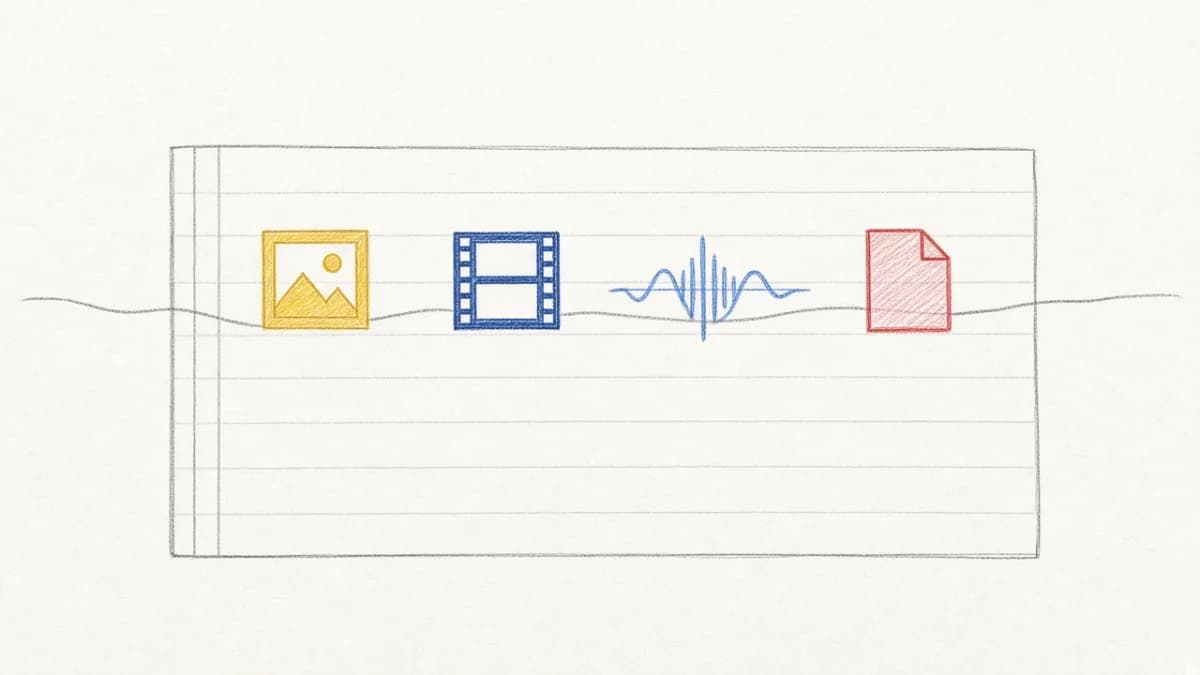
| One typed media table | Path strings, generic blobs, a UDF that hopes the file is video | pxt.Video / Image / Audio / Document — see what a multimodal data table is and FILE vs media columns |
| Transforms as columns | Airflow watching folders; re-run the world when a prompt changes | Assignments that run on insert; only new or changed rows recompute — storage, orchestration, retrieval as one system, incremental cost |
| HTTP from the same file | A second service, service.toml, handlers you write twice | FastAPIRouter in app.py; pxt CLI; operate the catalog from the terminal; local dashboard |
| Local-cloud loop | Rent a staging cluster so “dev” resembles “prod” | Same engine on a laptop and in Cloud; promote the file — the local-cloud loop |
Class-based TableModel | Dict schemas and a notebook API as the public surface | Subclass pxt.model_base(); apply with pxt schema update. Teased as PR #1434 in the June highlights; this is the launch. |
The persona version of shrinking that surface — Lovable for people who do not write backends, Pixeltable for people who do — is Making Multimodal More Lovable. Iterate, maintain, and productionalize stay one activity there. This post is the schema you keep while you do it.
What This Is Not#
It is not no-code. If you do not want a schema, Pixeltable is the wrong product. The point is that the schema is the backend, not that the schema went away.
It is not “don’t use FastAPI.” FastAPIRouter is FastAPI derived from the catalog. You do not write the handlers. You still get HTTP.
It is not a warehouse replacement. Keep Snowflake or Databricks for Card TPV and NRR. Do not start the video graph in a generic FILE column. Export curated columns if BI needs labels, not blobs.
And it is not “don’t use Lovable.” Use Lovable for the click surface if that is your team. Pixeltable is the data plane those clicks hit. Complementary, same split as the sibling essay.
People Also Ask#
Is TableModel required? For new apps, yes — it is the public schema. The notebook form (create_table, add_computed_column) still exists for one-off scripts. Do not mix both styles for the same tables.
Do I still need Pinecone, Airflow, and an object store? Not as a default architecture. Media, computed transforms, embedding indexes, and HTTP live in one system. You can still point media at your bucket. You should not need a sync job to keep three products from drifting. See what compounds when they live in one place.
Does this replace my warehouse? No. Pixeltable is the write path for multimodal AI. The warehouse stays for SQL-shaped metrics the board already trusts.
How do I go to Cloud? Same app.py. Set PIXELTABLE_API_KEY, declare pxt://org:db, then pxt db update → pxt schema update → pxt service update. Hosted HTTP is on the website dashboard. pxt service run is local only.
Keep the Schema, Delete the Stack#
The backend is one schema you keep, not a stack you assemble. That is the sentence we spent 2026 making true.
Declare the class. Apply it. Insert a row. Serve the same file. Leave Brainfuck to the esolang contests.
- Pixeltable on GitHub:
pip install pixeltable - Get started: CLI, Skill, and the one-file loop
- The Unified Multimodal Backend Agents Build With: the identity essay — one file is the backend
- Making Multimodal More Lovable: the sibling essay on persona and surface
- Why the Local-Cloud Loop Matters: the sibling essay on promotion
- I Vibe-Coded a Google Photos Clone. Then I Tried AWS.: sibling — the schema you keep when the afternoon clone hits a container
- ClaimBot: the same schema as one heterogeneous FNOL row
- Pixeltable documentation