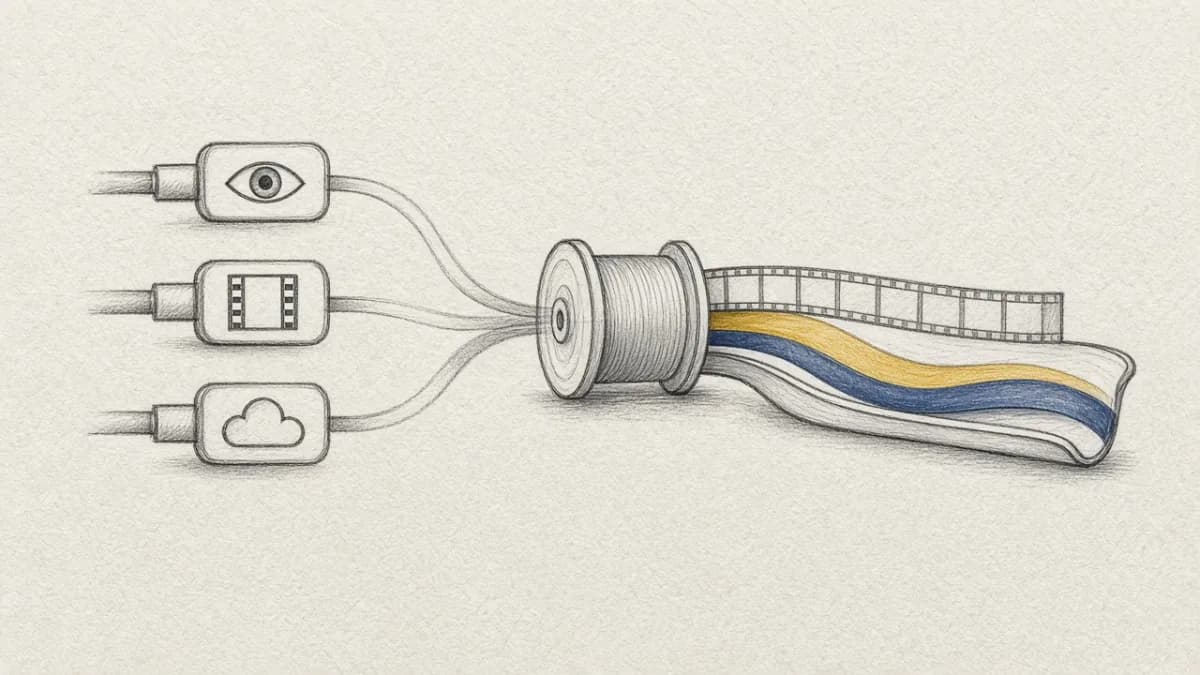
Rerun's detect_and_track_objects example is an impressive 450-line Python script that detects and tracks objects in video. It uses DETR for detection, CSRT for tracking, and Rerun for visualization.
We can achieve the same result in Pixeltable with about 15 lines of code. Here's why, and what it reveals about the difference between streaming and declarative approaches to computer vision.
The Rerun Approach (450 Lines)#
Why does Rerun need tracking? DETR detection is expensive (~100ms per frame). Running it on every frame of a 30fps video would take forever. So Rerun runs detection every 40 frames and uses cheap CSRT tracking (~1ms) to interpolate object positions in between.
The Pixeltable Approach (15 Lines)#
Why doesn't Pixeltable need tracking? Because we're not streaming. We extract frames at 5 fps (not 30), run detection on every extracted frame, and reassemble them. No interpolation needed.
What's Superfluous in Pixeltable?#
1. Object Tracking (CSRT)#
- Rerun needs it: To maintain object IDs between sparse detections
- Pixeltable doesn't: Every frame has its own complete detection results
2. Manual Frame Loop#
- Rerun needs it:
while cap.isOpened(): ret, frame = cap.read() - Pixeltable doesn't:
frame_iteratorhandles extraction declaratively
3. Stateful Tracker Management#
- Rerun needs it:
trackers = update_trackers_with_detections(...), handling tracker creation/deletion - Pixeltable doesn't: Each frame is independent, with no state to manage
4. Manual Visualization Code#
- Rerun needs it:
rr.log(f"video/tracked/{tracker.id}", rr.Boxes2D(...)) - Pixeltable doesn't:
draw_bounding_boxes()+make_video()handles it
The Architectural Difference#
| Aspect | Rerun (Streaming) | Pixeltable (Declarative) |
|---|---|---|
| Processing | Frame-by-frame loop | Computed columns on extracted frames |
| Detection Frequency | Every N frames (expensive) | Every extracted frame (at lower fps) |
| Tracking | Required (maintain IDs between detections) | Not needed (each frame independent) |
| State Management | Manual (tracker lifecycle) | Automatic (table handles it) |
| Results | Ephemeral (streaming) | Persistent (queryable) |
| Incremental Updates | Rerun entire script | Automatic (add new videos) |
When to Use Each#
Use Rerun When:#
- You need real-time visualization during development
- You want interactive timeline scrubbing
- You're debugging a computer vision pipeline
- You need 3D visualization
Use Pixeltable When:#
- You're batch processing video datasets
- You want to query detection results later
- You need to compare multiple models
- You want incremental updates as new videos arrive
- You're building a production pipeline
The Code Comparison#
| Component | Rerun | Pixeltable |
|---|---|---|
| Frame extraction | ~20 lines | 1 line (frame_iterator) |
| Detection | ~50 lines (Detector class) | 1 line (detr_for_object_detection) |
| Tracking | ~150 lines (Tracker class + update logic) | 0 lines (not needed) |
| Visualization | ~30 lines | 1 line (draw_bounding_boxes) |
| Video output | N/A (streaming viewer) | 1 line (make_video) |
| Total | ~450 lines | ~15 lines |
Try It Yourself#
Bonus: Panoptic Segmentation#
The Rerun example also uses panoptic segmentation. While not needed for basic object detection, segmentation provides richer scene understanding. Here's how to use it in Pixeltable.
What is Panoptic Segmentation?#
Panoptic segmentation unifies two tasks:
- Semantic segmentation: Classify every pixel (sky, road, grass)
- Instance segmentation: Identify individual objects (car #1, car #2, person #1)
The result is a complete scene understanding where every pixel belongs to either a "stuff" class (amorphous regions like sky) or a "thing" instance (countable objects like cars).
The Segmentation Data#
DETR's panoptic model returns:
Adding Segmentation to Pixeltable#
Coming Soon: Panoptic segmentation will be available as a built-in Pixeltable function. In the meantime, the UDFs below demonstrate how you can integrate any model yourself.
Visualizing Segmentation Masks#
Querying Segmentation Data#
Once segmentation is stored, you can query it:
When is Segmentation Useful?#
| Use Case | Bounding Boxes | Panoptic Segmentation |
|---|---|---|
| Object counting | ✓ | ✓ |
| Object localization | ✓ | ✓ |
| Precise object boundaries | ✗ | ✓ |
| Scene composition analysis | ✗ | ✓ |
| Background removal | ✗ | ✓ |
| Image editing/compositing | ✗ | ✓ |
| Occlusion handling | ✗ | ✓ |
| Area/size estimation | Approximate | Precise |
Use Bounding Boxes When:#
- You just need to know where objects are
- Speed matters more than precision
- You're doing object detection for downstream tasks
Use Panoptic Segmentation When:#
- You need pixel-precise object boundaries
- You're doing scene understanding or composition analysis
- You need to separate foreground from background
- You're building image editing or AR applications
The Tradeoff#
| Metric | Object Detection (DETR) | Panoptic Segmentation |
|---|---|---|
| Inference time | ~100ms | ~200ms |
| Output size | ~1KB (boxes + labels) | ~1MB+ (full mask) |
| Use case | "What's in this image?" | "What's every pixel?" |
For most video analysis tasks, bounding boxes are sufficient. Segmentation adds value when you need precise boundaries or scene composition.
Conclusion#
Rerun and Pixeltable solve the same problem differently. Rerun optimizes for real-time streaming with sparse detection + tracking. Pixeltable optimizes for batch processing with detection on every frame.
The result? Pixeltable's declarative approach eliminates the need for tracking entirely: what seems like a core feature of the Rerun example is actually just an optimization for streaming that becomes unnecessary in a different architecture.
Segmentation adds another dimension of understanding, but at a cost. Use it when you need pixel-level precision; skip it when bounding boxes suffice.
Sometimes the best code is the code you don't have to write.
Related Resources#
- Pixeltable on GitHub - Get started with declarative video processing
- Video Keyframe Extraction Guide - Extract meaningful frames from videos
- Declarative vs Imperative AI Pipelines - Understand the paradigm shift
- Python UDFs in Pixeltable - Create custom processing functions
- Rerun.io - Explore Rerun's visualization capabilities
- Join Pixeltable Discord - Discuss video processing workflows